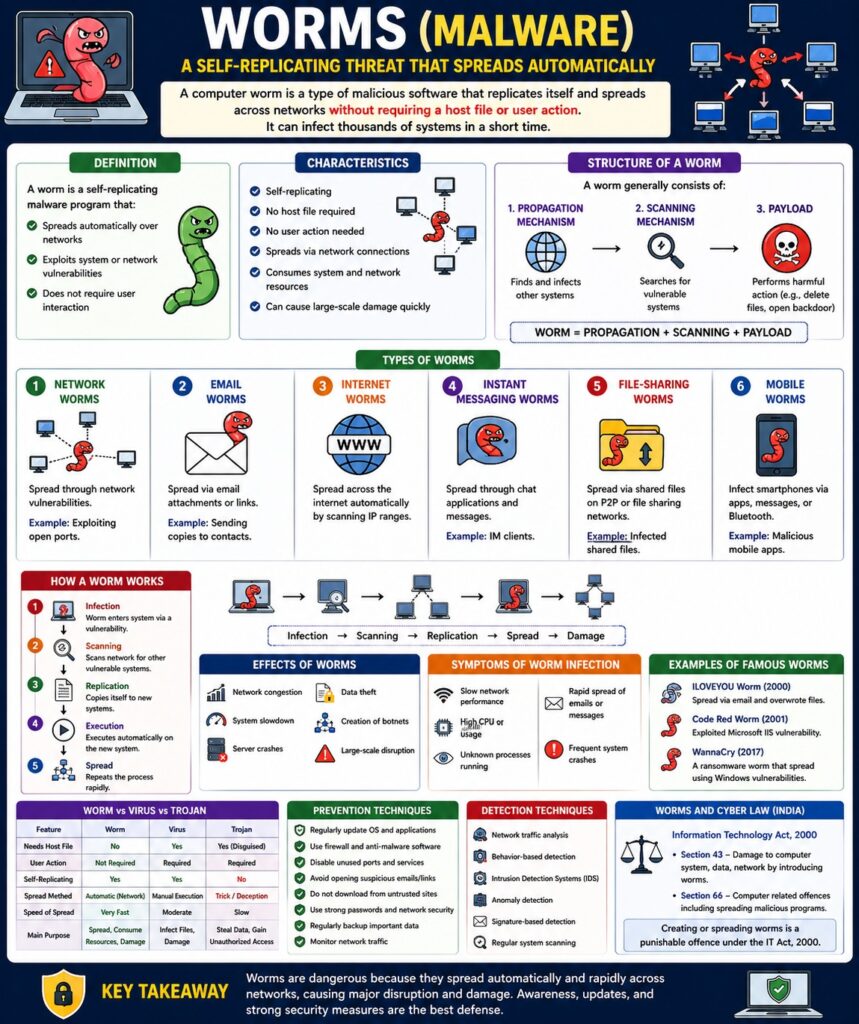
Worms (Malware) – Detailed Explanation
Introduction
A computer worm is a type of malicious software that replicates itself and spreads automatically across networks without requiring user action. Unlike viruses, worms do not need a host file.
👉 “A worm spreads independently and rapidly through networks.”
Worms are especially dangerous because they can infect thousands of systems in a short time.
Definition
A worm is a self-replicating malware program that:
- Spreads automatically over networks
- Exploits system or network vulnerabilities
- Does not require user interaction
Characteristics of Worms
- Self-replicating
- No host file required
- No user action needed
- Spreads via network connections
- Consumes system and network resources
Structure of a Worm
A worm generally consists of:
- Propagation Mechanism
- Finds and infects other systems
- Payload
- Harmful action (e.g., delete files, open backdoor)
- Scanning Mechanism
- Searches for vulnerable systems
Worm = Propagation + Scanning + Payload
Types of Worms
1. Network Worms
- Spread through network vulnerabilities
Example: Exploiting open ports
2. Email Worms
- Spread via email attachments or links
Example: Sending copies to contacts
3. Internet Worms
- Spread across the internet automatically
4. Instant Messaging Worms
- Spread through chat applications
5. File-Sharing Worms
- Spread via shared files (P2P networks)
6. Mobile Worms
- Infect smartphones via apps or messages
Working of a Worm
Step-by-Step Process
- Worm enters system via vulnerability
- Scans network for other vulnerable systems
- Copies itself to new systems
- Executes automatically
- Repeats process rapidly
Infection → Scanning → Replication → Spread → Damage
Effects of Worms
- Network congestion
- System slowdown
- Server crashes
- Data theft
- Creation of botnets
📌 Worms can cause large-scale damage quickly.
Symptoms of Worm Infection
- Slow network performance
- High CPU usage
- Unknown processes running
- Rapid spread of emails/messages
- System crashes
Examples of Famous Worms
- ILOVEYOU Worm (2000)
- Code Red Worm
- WannaCry (also ransomware worm)
Worm vs Virus vs Trojan
| Feature | Worm | Virus | Trojan |
|---|---|---|---|
| Needs host | No | Yes | Yes (disguised) |
| User action | Not required | Required | Required |
| Spread | Automatic | Manual execution | Trick-based |
| Speed | Very fast | Moderate | Slow |
Worms and CIA Triad
- Confidentiality → Data theft
- Integrity → System modification
- Availability → Network overload
Prevention Techniques
- Regular system updates
- Use firewalls
- Install antivirus software
- Disable unused ports
- Avoid suspicious emails
- Network monitoring
Detection Techniques
- Network traffic analysis
- Behavior-based detection
- Intrusion Detection Systems (IDS)
Worms and Cyber Law (India)
Under IT Act, 2000:
- Section 43 → Damage caused by worms
- Section 66 → Cyber offences
📌 Spreading worms is a punishable offence.
Real-Life Example
- Worm spreading across office network causing server crash
- Email worm sending infected messages to all contacts
Advantages (Attacker Perspective)
- Rapid spread
- Large-scale impact
- Can create botnets
Disadvantages (User Perspective)
- System damage
- Network failure
- Data loss
Conclusion
Worms are highly dangerous malware due to their ability to spread automatically and rapidly. They can cause massive network disruptions and system damage. Proper security measures, regular updates, and awareness are essential to prevent worm attacks.
📘 MCA Exam Tip
For 10–15 marks:
- Definition
- Characteristics
- Types (4–5)
- Working process
- Effects + prevention