
Difference Between Linux and Windows
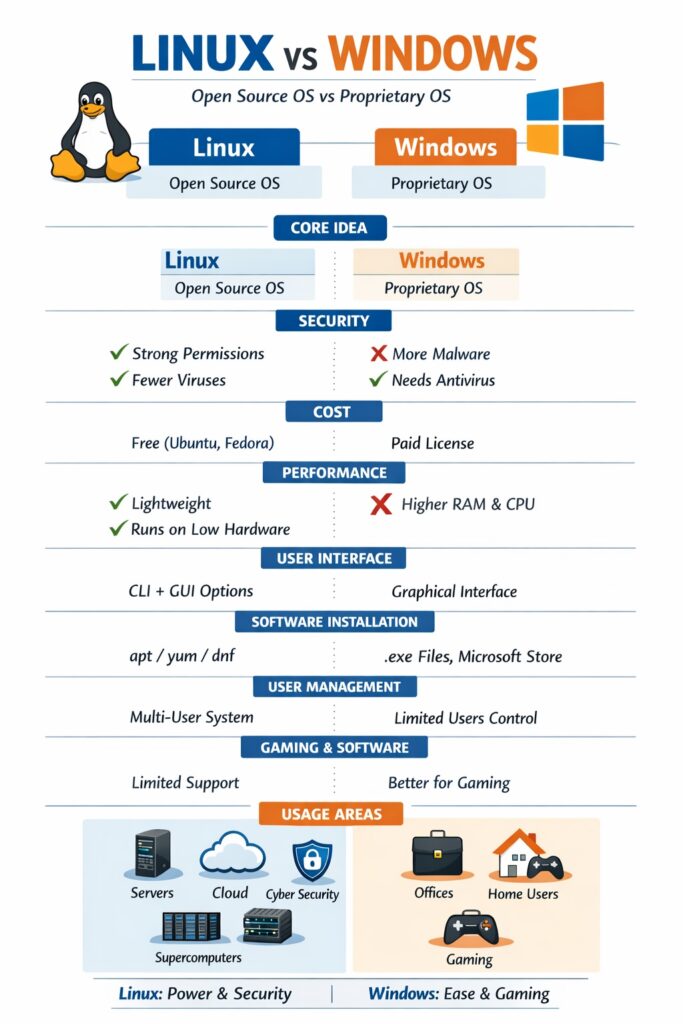
The following table explains the key differences between Linux and Windows operating systems in an exam-oriented and easy-to-understand manner.
Linux vs Windows (Comparison Table)
| Basis | Linux | Windows |
|---|---|---|
| Developer | Developed by Linus Torvalds | Developed by Microsoft |
| Source Code | Open source (source code is freely available) | Closed source |
| Cost | Free (most distributions) | Paid license |
| Security | Highly secure, fewer viruses | More vulnerable to malware |
| User Interface | CLI + GUI (user choice) | Mostly GUI-based |
| Customization | Highly customizable | Limited customization |
| Stability | Very stable, rarely crashes | May crash due to software issues |
| Performance | Efficient, runs well on low hardware | Requires higher hardware |
| File System | ext4, XFS, Btrfs | NTFS, FAT32 |
| Software Installation | Package managers (apt, yum) | .exe or Microsoft Store |
| User Management | Strong multi-user support | Limited multi-user support |
| Updates | User-controlled | Automatic updates |
| Gaming Support | Limited (improving) | Excellent gaming support |
| Usage Area | Servers, cloud, security | Desktops, offices, gaming |
Advantages of Linux over Windows
- Free and open source
- Strong security model
- Better performance on old systems
- Ideal for servers and developers
- Full control over the system
Advantages of Windows over Linux
- User-friendly interface
- Better software and game support
- Widely used in offices
- Easy hardware driver availability
Where Linux is Better
- Servers & cloud computing
- Ethical hacking & cybersecurity
- Programming & development
- Supercomputers
Where Windows is Better
- Home and office use
- Gaming
- Graphic design (Photoshop, CorelDraw)
Conclusion
Linux is a secure, stable, and flexible operating system, best suited for servers, developers, and advanced users, while Windows is user-friendly and widely adopted for desktop and commercial use.