
Below is a clear, structured, and detailed discussion of Using Cookies under Servlets.
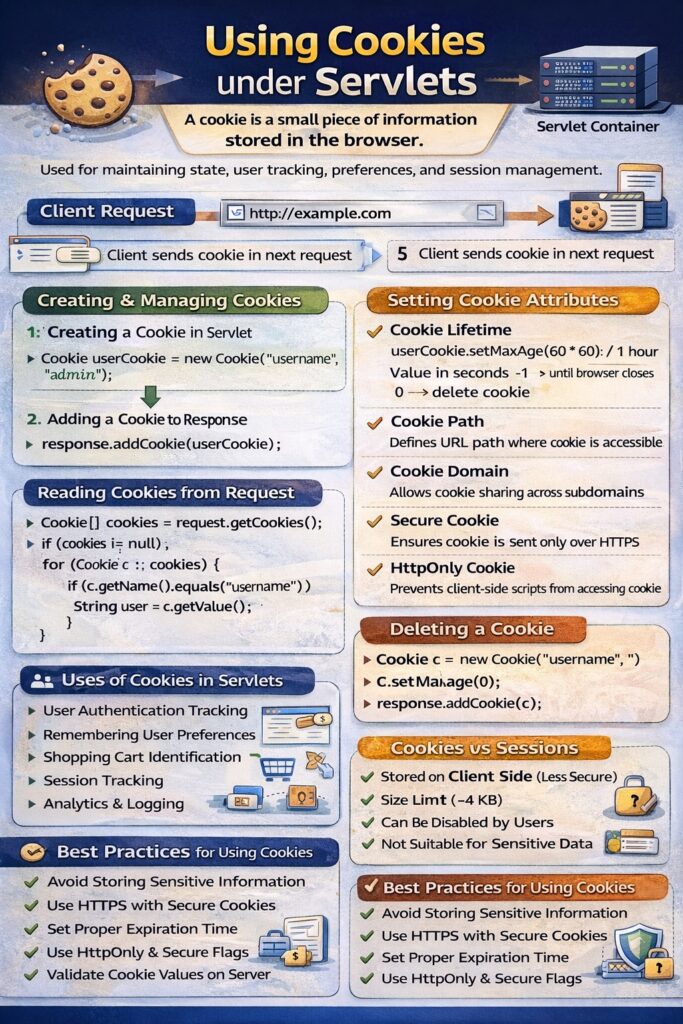
Using Cookies under Servlets
Introduction
Cookies are small pieces of information stored on the client side by the web browser. In servlet-based applications, cookies are used to maintain state, store user preferences, and track user activity across multiple HTTP requests. Since HTTP is stateless, cookies provide a mechanism to remember information between requests.
What is a Cookie
A cookie is a name–value pair sent by the server to the client and stored by the browser. On subsequent requests, the browser automatically sends the cookie back to the server.
In servlets, cookies are managed using the javax.servlet.http.Cookie class.
Creating a Cookie in a Servlet
Cookie userCookie = new Cookie("username", "admin");
This creates a cookie object with a name and value.
Adding a Cookie to Response
response.addCookie(userCookie);
Once added, the cookie is sent to the client and stored in the browser.
Reading Cookies from Request
Cookie[] cookies = request.getCookies();

if (cookies != null) {
    for (Cookie c : cookies) {
        if (c.getName().equals("username")) {
            String user = c.getValue();
        }
    }
}
The getCookies() method returns all cookies sent by the client.
Setting Cookie Attributes
Cookie Lifetime
userCookie.setMaxAge(60 * 60); // 1 hour
- Value in seconds
-1→ cookie exists until browser closes0→ delete cookie
Cookie Path
userCookie.setPath("/app");
Defines the URL path where the cookie is accessible.
Cookie Domain
userCookie.setDomain("example.com");
Allows cookie sharing across subdomains.
Secure Cookie
userCookie.setSecure(true);
Ensures the cookie is sent only over HTTPS.
HttpOnly Cookie
userCookie.setHttpOnly(true);
Prevents client-side scripts from accessing the cookie.
Deleting a Cookie
Cookie c = new Cookie("username", "");
c.setMaxAge(0);
response.addCookie(c);
This removes the cookie from the client browser.
Uses of Cookies in Servlets
- User authentication tracking
- Remembering user preferences
- Shopping cart identification
- Session tracking
- Analytics and logging
Advantages of Cookies
- Simple to implement
- Lightweight data storage
- Supported by all browsers
- Automatic transfer with requests
Limitations of Cookies
- Stored on client side (less secure)
- Size limit (approximately 4 KB)
- Can be disabled by users
- Not suitable for sensitive data
Cookies vs Sessions (Conceptual Difference)
| Aspect | Cookies | Sessions |
|---|---|---|
| Storage | Client side | Server side |
| Security | Less secure | More secure |
| Size | Limited | Larger |
| Lifetime | Controlled by browser | Controlled by server |
Best Practices for Using Cookies
- Avoid storing sensitive information
- Use HTTPS with secure cookies
- Set proper expiration time
- Use HttpOnly and Secure flags
- Validate cookie values on server
Conclusion
Cookies provide an effective mechanism for maintaining state in servlet-based web applications. By allowing small pieces of data to be stored on the client side, cookies help track users, remember preferences, and support session management. When used carefully with proper security measures, cookies play a vital role in building responsive and user-friendly web applications using servlets.