
Handling HTTP Requests and Responses
Introduction
Handling HTTP requests and responses is the core responsibility of a Java servlet. A servlet works on the request–response model, where a client sends an HTTP request to the server, and the server processes this request and sends back an HTTP response. The Servlet API provides specialized interfaces and classes to manage this communication efficiently and securely.
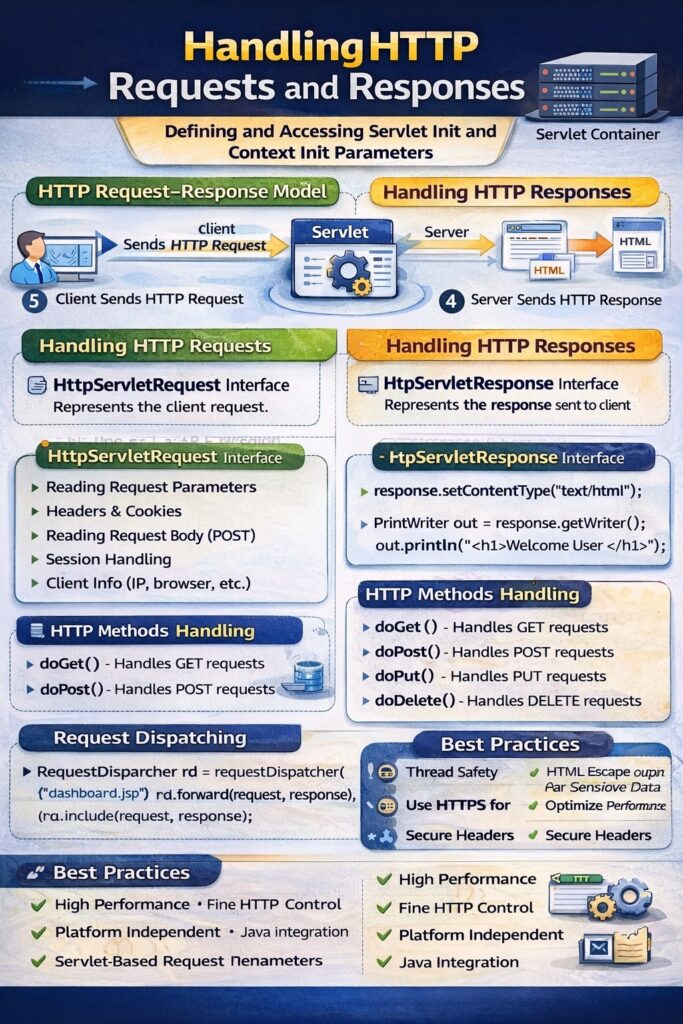
HTTP Request–Response Model
In a web application:
- A client (browser) sends an HTTP request.
- The web container receives the request.
- The container creates request and response objects.
- The servlet processes the request.
- The servlet generates a response.
- The container sends the response back to the client.
This interaction is stateless by nature and is governed by the HTTP protocol.
Handling HTTP Requests
HttpServletRequest Interface
The HttpServletRequest interface represents the client request. It provides methods to access all data sent by the client.
Accessing Request Data
A servlet can read:
- Form parameters
- Query string values
- Request headers
- Cookies
- Request body
- Client and server information
Reading Request Parameters
String username = request.getParameter("username");
String[] subjects = request.getParameterValues("subject");
Reading Request Headers
String browser = request.getHeader("User-Agent");
Reading Request Body
Used mainly in POST requests to read data streams.
HTTP Methods Handling
The HttpServlet class provides methods corresponding to HTTP request types:
doGet()– handles GET requestsdoPost()– handles POST requestsdoPut()– handles PUT requestsdoDelete()– handles DELETE requests
Each method processes the request based on the HTTP verb used by the client.
Handling HTTP Responses
HttpServletResponse Interface
The HttpServletResponse interface represents the response sent to the client. It allows a servlet to control the output and metadata of the response.
Setting Response Content Type
response.setContentType("text/html");
Writing Response Data
PrintWriter out = response.getWriter();
out.println("<h1>Welcome User</h1>");
Setting HTTP Status Codes
response.setStatus(HttpServletResponse.SC_OK);
Sending Redirect Responses
response.sendRedirect("login.jsp");
Request Dispatching
Forwarding a Request
RequestDispatcher rd = request.getRequestDispatcher("dashboard.jsp");
rd.forward(request, response);
Including a Resource
rd.include(request, response);
Forwarding transfers control to another resource on the server without changing the URL, while inclusion embeds output from another resource.
Handling Cookies
Cookies allow small data to be stored on the client.
Cookie c = new Cookie("user", "admin");
response.addCookie(c);
Cookies can be retrieved using the request object.
Session Handling
Sessions help maintain user data across multiple requests.
HttpSession session = request.getSession();
session.setAttribute("user", "admin");
Session data is stored on the server and identified by a session ID.
Error Handling in Responses
Servlets can handle errors by:
- Sending error codes
- Displaying custom error messages
- Redirecting to error pages
response.sendError(HttpServletResponse.SC_NOT_FOUND, "Page not found");
Thread Safety Considerations
- Each request is handled by a separate thread.
- The same servlet instance serves multiple requests.
- Instance variables should be avoided or synchronized.
- Local variables are thread-safe.
Advantages of Servlet-Based Request Handling
- High performance due to multithreading
- Fine control over HTTP communication
- Platform-independent execution
- Strong integration with Java ecosystem
Conclusion
Handling HTTP requests and responses in servlets forms the foundation of Java web application development. By using HttpServletRequest and HttpServletResponse, a servlet can efficiently receive client data, process business logic, and generate appropriate responses. Proper management of request data, response output, sessions, and threading ensures scalable, secure, and reliable web applications.