
Remote User Authentication
Introduction
Remote User Authentication is the process of verifying the identity of a user who is accessing a system, network, or service from a remote location (outside the organization’s physical premises).
It ensures that only authorized remote users can access system resources securely over public or private networks.
With the growth of cloud computing, work-from-home, VPNs, online banking, and e-governance, remote user authentication has become a critical security requirement.
Meaning
Remote user authentication verifies a user’s identity when:
- The user is not physically present
- Communication occurs over a network (Internet, WAN, wireless)
📌 It answers:
👉 “Is this remote user genuine and authorized?”
Need for Remote User Authentication
- Rise of remote work and mobile access
- Secure access over untrusted networks
- Prevent unauthorized access and impersonation
- Protect sensitive data and systems
- Meet cyber law and compliance requirements
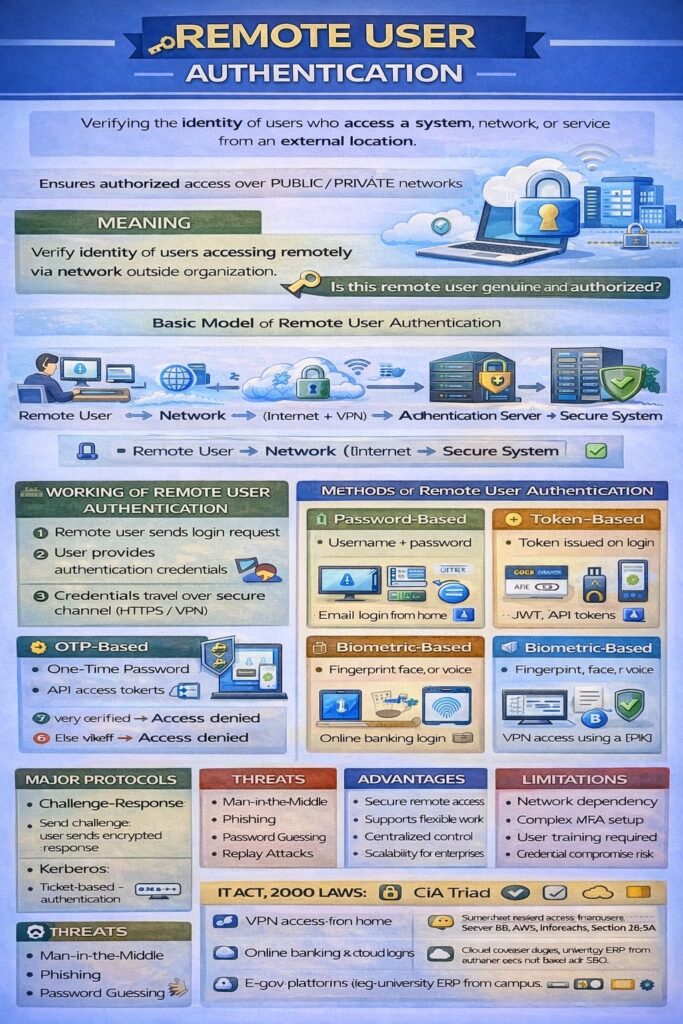
Basic Model of Remote User Authentication
Remote User ⇄ Network (Internet) ⇄ Authentication Server ⇄ Secure System
Working of Remote User Authentication
Step-by-Step Process
- Remote user sends login request
- User provides authentication credentials
- Credentials travel over secure channel (HTTPS/VPN)
- Authentication server verifies credentials
- If verified → access granted
- Else → access denied
Methods of Remote User Authentication
1. Password-Based Remote Authentication
- User logs in using username and password
- Simplest method
Example:
Email login from home network
Limitations:
- Vulnerable to phishing, keylogging
2. Token-Based Remote Authentication
- User receives a token after initial login
- Token used for future access
Examples:
- JWT in web applications
- API access tokens
📌 Very common in cloud systems.
3. OTP-Based Authentication
- One-Time Password sent via:
- SMS
- Authenticator apps
Example:
Online banking login using OTP
4. Biometric-Based Remote Authentication
- Uses fingerprint, face, or voice
- Mostly used via smartphones or biometric devices
Example:
Mobile banking app with fingerprint authentication
5. Certificate-Based Authentication
- Uses digital certificates
- Based on Public Key Infrastructure (PKI)
Example:
Secure VPN access using client certificates
6. Multi-Factor Authentication (MFA)
- Combination of two or more factors
Example:
Password + OTP + biometric
📌 Most secure remote authentication method
Remote User Authentication Protocols
1. Challenge–Response Protocol
- Server sends a challenge
- User responds with encrypted response
Advantage: Password not sent directly
2. Kerberos Authentication
- Trusted third-party authentication server
- Uses tickets instead of passwords
Used in:
- Enterprise networks
- Distributed systems
3. RADIUS / TACACS+
- Centralized authentication for remote users
- Common in ISP and enterprise networks
Security Requirements for Remote Authentication
- Strong encryption (SSL/TLS)
- Mutual authentication
- Protection against replay attacks
- Secure credential storage
- Logging and auditing
Threats in Remote User Authentication
- Man-in-the-Middle attacks
- Phishing
- Replay attacks
- Password guessing
- Session hijacking
Advantages of Remote User Authentication
- Enables secure remote access
- Supports flexible working
- Centralized authentication control
- Scalable for large organizations
Limitations
- Dependent on network availability
- Complex setup for advanced methods
- Requires proper user awareness
- Risk of credential compromise if poorly implemented
Remote User Authentication and CIA Triad
- Confidentiality → Secure user identity verification
- Integrity → Prevents impersonation
- Availability → Enables anytime, anywhere access
Remote User Authentication in Cyber Law (India)
- IT Act, 2000
- Section 43 → Unauthorized access
- Section 66 → Computer-related offences
- Digital authentication supported under Section 3 & 3A
- Organizations must follow reasonable security practices
Real-Life Examples
- VPN login for employees working from home
- Online banking access from mobile
- Cloud service login (Google, AWS, Microsoft)
- University ERP access from off-campus
Conclusion
Remote User Authentication is a vital security mechanism in modern networked systems. By securely verifying users accessing systems remotely, it protects organizations from unauthorized access and cyber threats. The use of strong authentication methods, encryption, and multi-factor authentication is essential to ensure secure and legally compliant remote access.